How to Declutter Your Desk Before Work for Better Focus (Guide)

It is a striking irony that many of us spend our most productive morning hours clearing a path to our keyboards rather than actually working. We move a stack of mail, relocate a stray toy, and hunt for a pen, only to find our mental energy drained before the first email is even sent.
In my eleven years managing logistics and operations, I have learned that a workspace is not just a surface; it is a high-traffic processing center. At home, this center often becomes a “catch-all” for family life. My own journey into sustainable decluttering began when I realized my elaborate filing systems were failing because they required too many steps to maintain. I was applying corporate logic to a lived-in family home, and the friction was winning. By shifting focus from “looking neat” to “reducing retrieval friction,” I transformed my home office into a space that supports deep concentration without requiring hours of upkeep.
The Hidden Cognitive Cost of a Disorganized Workspace
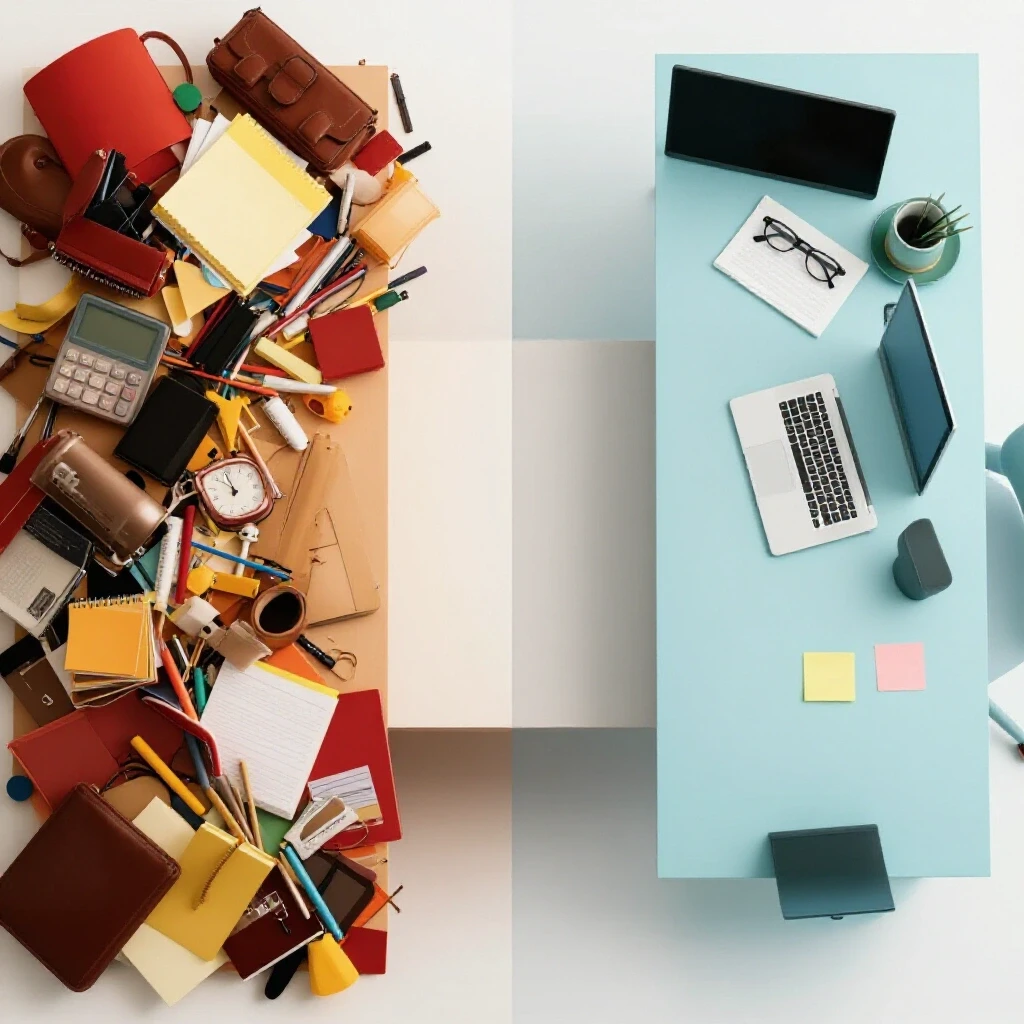
This concept refers to the mental energy consumed by visual distractions, which forces the brain to work harder to filter out irrelevant information. When a surface is covered in unrelated objects, the brain undergoes “visual processing overload,” leading to increased stress and decreased task persistence.
Environmental psychology journals often discuss the “clutter effect,” where the presence of non-essential items in our peripheral vision competes for neural resources. For a busy parent, a desk covered in school forms and unwashed mugs is not just a mess; it is a series of “unfinished tasks” screaming for attention. This creates a state of low-level anxiety that makes it difficult to settle into a flow state.
Research in organizational behavior suggests that a clear environment acts as a cognitive “reset.” By establishing a predictable spatial layout, you reduce the number of micro-decisions you have to make throughout the morning. When your brain knows exactly where the scissors are without looking, it can dedicate that processing power to the complex problem-solving required by your job.
- Visual Processing Overload: The brain’s inability to ignore irrelevant stimuli in a crowded field.
- Decision Fatigue: The exhaustion caused by making constant choices about where to put items.
- Task Persistence: The ability to stay focused on a difficult project despite distractions.
Understanding Retrieval Friction in Home Storage
Retrieval friction is a logistical metric that measures the number of physical movements or “touches” required to access or put away an item. High-friction systems, such as bins with tight lids stacked under other bins, are the primary reason home organization fails within days.
In my family, we once tried a beautiful set of matching wicker baskets with lids. Within a week, the lids were left on the floor and the baskets were overflowing. We had created a high-friction system that didn’t account for the reality of a three-minute transition between “parent mode” and “work mode.” By removing the lids and switching to open-top bins, we reduced the “put-away” action from four steps to one.
When designing your home workspace, the goal is to achieve a “low-friction” environment. This means that every tool you use daily should be accessible in a single motion. Items used weekly can involve two motions (opening a drawer), while monthly items can be stored in higher-friction areas like high shelves or closed cabinets.
Storage Friction Index by Bin Type
| Bin Type | Retrieval Steps | Friction Level | Best Use Case |
|---|---|---|---|
| Open-Top Tray | 1 (Reach) | Very Low | Daily pens, notebooks, current projects |
| Pull-Out Drawer | 2 (Pull, Reach) | Low | Staplers, calculators, chargers |
| Lidded Box | 3 (Lift, Open, Reach) | Medium | Archival papers, seasonal supplies |
| Stacked Lidded Bins | 5+ (Move top bin, Open, Reach) | High | Long-term storage only |
Establishing High-Speed Zoning for Maximum Efficiency
Zoning is a spatial management principle that divides a surface into functional areas based on the frequency of item usage. By mapping your desk into primary, secondary, and tertiary zones, you create a logical flow that prevents clutter from migrating into your active work area.
The “Primary Zone” is the area directly in front of you where your arms naturally reach without leaning. This should be reserved exclusively for the task at hand. Anything not related to your current work session—like a half-read book or a pile of mail—is a “spatial intruder” that increases the time it takes to start your day.
In our home, we use a “Zoning Map” to ensure that the desk remains a dedicated work area rather than a household landing strip. If an item doesn’t have a designated zone, it is classified as “inflow” and must be processed or moved to a different room immediately.
Spatial Zoning Guidelines
- Primary Zone (0–15 inches): Immediate reach. Only for the keyboard, mouse, and one active notepad.
- Secondary Zone (15–24 inches): Extended reach. For items used multiple times a day, like a water bottle or a pen cup.
- Tertiary Zone (Outer edges/Drawers): For items used once a day or less, such as reference manuals or extra stationery.
- The “No-Fly” Zone: A 10-inch perimeter around the computer that must remain empty to provide visual “white space.”
The Sorting Framework: Moving from Chaos to Clarity
A sorting framework is a systematic method for categorizing items to remove the “guesswork” from decluttering. Instead of looking at a pile of mess and feeling overwhelmed, you apply a set of logistical rules to process each item in seconds.
The biggest mistake I see families make is trying to “organize” before they “sort.” If you put clutter into a bin, you just have organized clutter. Effective sorting requires a “Flow Rate” mindset: how quickly can an item move from the desk to its final destination? We use a three-category system: Action, Archive, or Relocate.
Using a time-boxed approach—setting a timer for exactly 15 minutes before you start work—prevents the decluttering process from becoming a distraction itself. You aren’t cleaning the whole house; you are simply clearing the “flight path” for your workday.
Decluttering Sorting Log
| Item Category | Destination | Action Required | Flow Speed |
|---|---|---|---|
| Active Projects | Primary Zone Tray | Keep visible for today | Fast |
| Household Mail | “Inflow” Basket | Move to kitchen/mail station | Fast |
| Kid’s Artwork | Memory Box | Relocate to storage area | Medium |
| Random Tools | Utility Drawer | Move to secondary zone | Fast |
| Trash/Recycling | Bin | Immediate disposal | Instant |
Selecting Low-Maintenance DIY Storage Solutions
Sustainable storage focuses on functionality and durability over aesthetics. For a busy home, the best systems are those that can be maintained by a child or a tired adult with minimal effort, often utilizing simple DIY modifications to existing furniture.
I recommend “modular” systems that can grow with your needs. For example, using small spice jars or repurposed containers inside a desk drawer creates a “fixed capacity” for small items like paperclips. Once the container is full, you cannot add more until you remove something. This is a logistical principle called “Spatial Capacity Limiting,” and it is the only way to prevent slow-growing clutter.
Labeling is also a critical component of low-maintenance systems. However, instead of complex color-coding, use clear, bold text. This reduces the “cognitive load” of putting things away. If a bin is clearly labeled “Cables,” no one has to think about where the charger goes.
DIY Storage Best Practices
- Use Vertical Space: Install a simple pegboard or wall-mounted rail to move “Secondary Zone” items off the desk surface.
- Shadow-Box Drawers: Line drawers with contrasting paper so it is obvious when an item is missing or out of place.
- The “One-In, One-Out” Rule: For every new decorative item or tool added to the desk, one must be removed to maintain spatial balance.
- Tension Rod Dividers: Use small tension rods in deep drawers to create custom slots for notebooks or folders without buying expensive inserts.
Household Behavior Systems and Family Alignment
A household behavior system is a set of shared rules that govern how common spaces are used. Without family buy-in, even the best organization system will collapse when a spouse or child leaves their belongings in your work area.
In our house, we established a “Spatial Boundary.” My desk is a “Work-Only Zone.” This isn’t about being strict; it’s about logistical clarity. We explained to our children that when the desk is clear, it helps me finish work faster so we can play. We also created a “Transition Basket” nearby. If they bring a toy into the area, it goes in the basket, not on the desk.
To make this work, you must provide an alternative. If you tell your family “don’t put mail here,” you must show them exactly where the mail should go. This is called “Path of Least Resistance” organizing. If the new location is further away than the desk, they will keep using the desk.
Metrics for Family System Success
- Average Reset Time: How many minutes does it take to clear the desk at the end of the day? (Goal: < 5 minutes).
- Item Density: The percentage of the desk surface covered by non-work items. (Goal: < 10%).
- System Adherence: How many days a week the family follows the “Transition Basket” rule. (Goal: 5/7 days).
Maintaining Order with the Daily Reset Routine
A daily reset is a short, rhythmic routine performed at the end of every work session to prepare the space for the following morning. This is the most critical habit for preventing the “reversion” that frustrates so many home organizers.
Think of this as “closing the shift” in a professional kitchen. You wouldn’t start a new dinner service with dirty counters; similarly, you shouldn’t start a new workday with yesterday’s coffee cups and notes. By spending five minutes at 5:00 PM clearing the surface, you are giving your “tomorrow self” a gift of immediate focus.
This routine relies on “Visual Cues.” When the desk is clear, it signals to your brain that work is over and family time has begun. This psychological boundary is essential for preventing burnout in remote work environments.
The 5-Minute Morning/Evening Checklist
- Clear the Surface: Move all “spatial intruders” to the transition basket.
- Reset the Primary Zone: Align the keyboard and mouse; clear the “No-Fly” zone.
- Process Paperwork: File or recycle any papers generated during the day.
- Check Capacity: Ensure no bins or trays are overflowing.
- Visual Audit: Stand back and ensure the space looks “ready” for the next session.
Sustainable Decluttering: Next Steps for Busy Professionals
Establishing an organized workspace is not a one-time event; it is a series of small, logical adjustments to how you interact with your environment. Start by identifying your “High-Friction” areas today. Is there a drawer that sticks? A bin with a lid you hate opening? Fix those first.
Remember that the goal is not a “perfect” home. The goal is a functional system that absorbs the chaos of family life without breaking. By applying these logistical principles—zoning, reducing friction, and setting spatial boundaries—you can reclaim your morning focus and reduce the mental fatigue of a cluttered home.
- Step 1: Conduct a 5-minute spatial audit to identify “intruder” items.
- Step 2: Remove lids from frequently used storage bins.
- Step 3: Define your Primary Zone and clear it before your next work session.
- Step 4: Communicate the “Work-Only Zone” boundary to your family.
Frequently Asked Questions
Why does my desk get messy again just two days after I clean it?
This usually happens due to high “retrieval friction” or a lack of “inflow control.” If your storage systems are too difficult to use (e.g., bins are behind doors or have tight lids), you will naturally leave items on the desk surface instead of putting them away. Additionally, if you don’t have a designated “landing strip” for household mail and toys, they will gravitate toward the largest flat surface available: your desk.
How can I stop my kids from leaving their things on my workspace?
Create a “Transition Basket” or a “Boundary Box” near your workspace. Instead of a flat “no” policy, give them a low-friction place to put their items that isn’t your desk. Explain the “Work-Only Zone” concept using the “Focus Results” logic: a clear desk helps you finish work faster so you can spend more time with them.
What is the most important storage tool for a home desk?
The open-top tray or “shallow bin” is the most effective tool. It allows for “one-touch” organizing, where you can drop an item into its place without moving other objects or opening lids. This follows the logistical principle of minimizing touches to increase efficiency.
How do I handle “sentimental” clutter like kids’ drawings on my desk?
Designate a “Tertiary Zone” for these items, such as a small corkboard or a single “Memory Clip” on the wall. This allows you to enjoy the sentiment without the item occupying your “Primary Zone” (your active work surface). Once the clip or board is full, the oldest item must be moved to a long-term storage box elsewhere in the house.
Is it better to organize by category or by frequency of use?
Frequency of use is always superior for daily productivity. Categorical organization (e.g., “all office supplies together”) often leads to high friction. Instead, keep the three pens you use every day in your Secondary Zone, and move the box of 50 extra pens to a high shelf or a different room.
What should I do if I have a very small desk with no drawers?
Utilize vertical “Spatial Capacity.” Wall-mounted organizers, pegboards, or even a small rolling cart can act as your Secondary and Tertiary zones. The key is to keep the desk surface itself reserved strictly for the Primary Zone tasks.
How long should a daily desk reset actually take?
If your system is designed correctly, a reset should take no more than 3 to 5 minutes. If it takes longer, your “retrieval friction” is too high, or you have too many items in your workspace that belong in other parts of the house.
Can decorative items be part of a functional workspace?
Yes, but they should be placed in the “Tertiary Zone” (the back corners of the desk) to avoid interfering with your physical movements. Limit yourself to 2-3 items to maintain “Visual White Space,” which is essential for reducing cognitive load.
What is “Visual White Space” and why does it matter?
Visual white space is the empty area on your desk that isn’t occupied by any object. Research shows that having empty space in your field of vision helps the brain stay calm and focused. It acts as a “buffer” against the stress of a busy workday.
How do I manage a “paper-heavy” job in a small home office?
Use a “Vertical Tiered File” system. Stacking papers horizontally creates “hidden clutter” where you have to dig to find what you need. Vertical systems allow you to see the labels of every project at once, reducing the time spent searching and the mental fatigue of “missing” important documents.
(This article was written by one of our staff writers, Christopher Bennett. Visit our Meet the Team page to learn more about the author and their expertise.)