How to Fix Smoke Detector Failures at Home (Step-by-Step Guide)

In my 17 years of maintaining older residential structures, I have learned that the most reliable systems are often the ones we ignore until they start making noise. I remember a particular 1920s Tudor I managed where a persistent, rhythmic chirping began echoing through the hallways every afternoon at 3:00 PM. The homeowner had already swapped the batteries twice, yet the sound persisted. After a systematic diagnostic check, I discovered the issue wasn’t a faulty battery at all. Instead, a slight gap in the window casing was allowing a draft of cold air to hit the sensing unit’s internal thermistor at the exact time the sun dipped behind a nearby oak tree. This temperature fluctuation was enough to trigger a low-voltage warning, even though the power was fine.
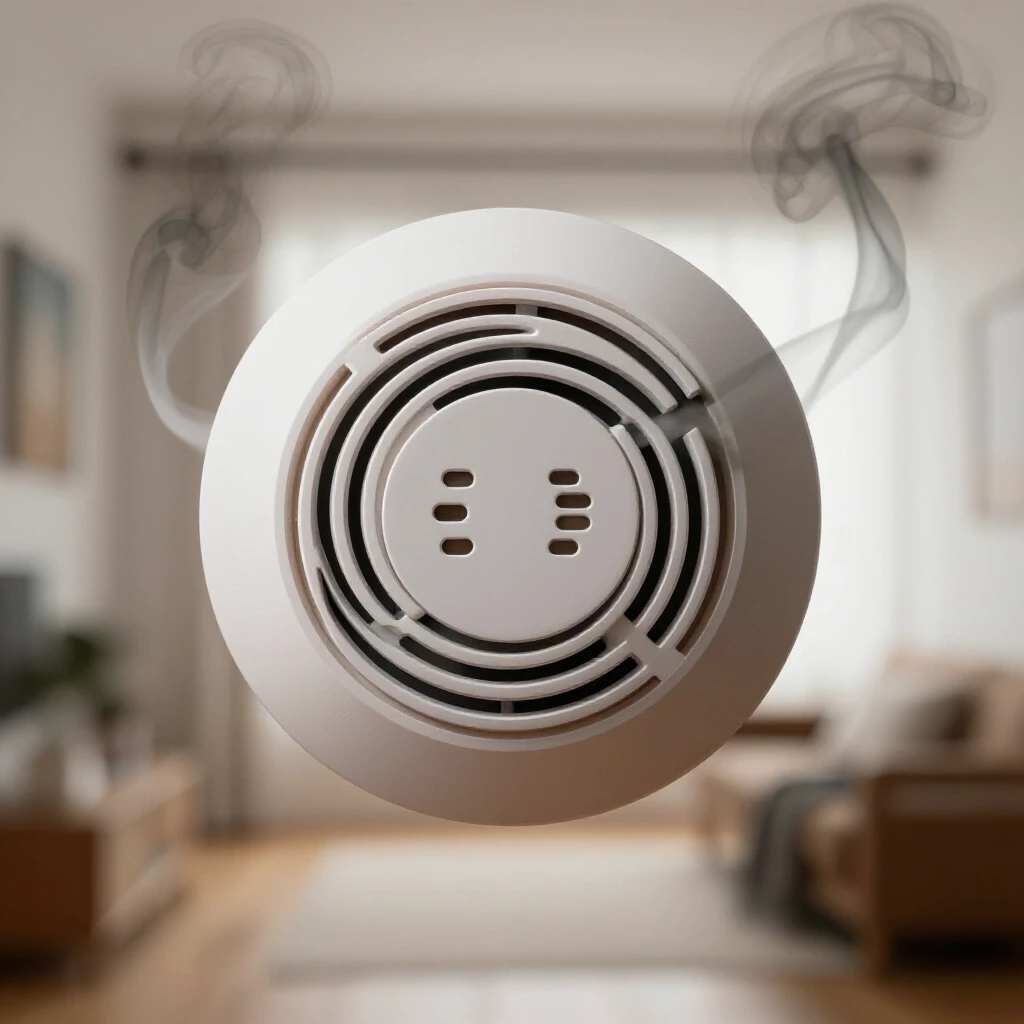
Managing older properties requires an understanding of how modern safety devices interact with drafty envelopes, high humidity, and decades of accumulated dust. When these early warning systems behave inconsistently, it is rarely a random event. There is almost always a physical or environmental root cause that can be identified through a residential diagnostics approach. By mastering the science behind these devices, you can prevent the frustration of nuisance alarms and ensure your home remains a controlled, safe environment.
The Mechanics of Sensing Unit Inconsistencies
Sensing unit inconsistencies occur when the internal components of a warning device fail to distinguish between actual hazards and environmental interference. These devices generally use either light-scattering technology or ionization to monitor the air, and both methods are highly sensitive to physical obstructions like dust, steam, or high-velocity airflow.
Building science teaches us that air is never truly still inside a home. In older properties, the “stack effect” creates a constant upward pull of air from the basement toward the attic. As this air moves, it carries microscopic particles of drywall dust, pet dander, and outdoor pollutants. When these particles enter the sensing chamber of a safety device, they can mimic the physical properties of smoke. This is why a device might trigger a false alarm in the middle of a dry winter night when the furnace is running at full capacity.
Understanding the “what” and “why” of these malfunctions is the first step in a preventative home care strategy. The “what” is often a contaminated sensor or a degraded power cell, but the “why” is usually tied to the home’s unique microclimate. For instance, high humidity levels—typically above 85%—can cause water vapor to condense inside the sensing chamber. This moisture reflects light or disrupts electrical currents, leading to a malfunction that feels like a mystery but is actually a predictable physical reaction.
| Symptom | Potential Root Cause | Diagnostic Action |
|---|---|---|
| Intermittent “Chirping” | Voltage drop or thermal shock | Test battery with a multimeter; check for nearby drafts. |
| Frequent Nuisance Alarms | Chamber contamination | Inspect for dust or insect ingress; clean with compressed air. |
| Failure to Respond to Test | Sensor degradation | Verify device age; check if the 10-year expiration has passed. |
| Persistent Red Light | Internal logic error | Perform a hard reset by removing all power for 60 seconds. |
Assessing Environmental Impacts on Device Reliability
Environmental impacts on device reliability involve the external factors—such as humidity, temperature, and airflow—that interfere with a sensor’s ability to sample air accurately. Older homes often have localized “dead air” spaces or high-velocity draft zones that can either shield a sensor from actual threats or push contaminants into it.
When I perform a home maintenance checklist, I always look at the placement of sensing units in relation to bathrooms and kitchens. In my experience, placing a photoelectric sensor within 10 feet of a high-humidity area like a bathroom is a recipe for failure. The steam from a hot shower is physically dense enough to trigger the light-scattering mechanism. Similarly, air vents can blow dust directly into a unit, causing it to fail over time as the internal chamber becomes “blinded” by debris.
To identify these issues, you need to track the conditions surrounding the device. Use a digital hygrometer to measure the moisture content in the air near the unit. If the humidity consistently exceeds 70%, the risk of a nuisance trigger increases significantly. You should also check for “dead air” zones, which are typically found in the corners where walls meet the ceiling. Air in these 12-inch pockets stays stagnant, meaning a sensor located there may not detect a change in air quality until a problem has already escalated.
- Humidity levels: Keep indoor relative humidity between 30% and 50% to prevent sensor condensation.
- Airflow velocity: Ensure units are not placed directly in the path of supply vents.
- Temperature stability: Avoid mounting devices on uninsulated exterior walls where thermal bridging can cause localized cold spots.
Diagnostic Sequences for Nuisance Triggering
A diagnostic sequence for nuisance triggering is a step-by-step process used to isolate whether a malfunction is caused by the device itself or an external environmental factor. By following a logical path of elimination, homeowners can avoid the cost of unnecessary replacements and identify underlying structural issues like hidden moisture or poor insulation.
In my facility logs, I’ve found that most people assume a “chirp” means the battery is dead. While that is often true, it is not the only cause. If you replace the battery and the sound continues, the next step is to look at the age of the unit. Most sensing units have a hard expiration date of 10 years from the date of manufacture. After a decade, the chemical components or the light-sensing diodes begin to break down, leading to increased resistance and eventual failure.
- Visual Inspection: Look for “cobwebbing” or dust buildup around the exterior vents of the device.
- Power Verification: Use a multimeter to ensure the backup battery is producing at least 9 volts (for standard cells).
- Chamber Cleaning: Use a canister of compressed air to blow out the internal sensing area. Do not use a vacuum, as static discharge can damage the sensitive electronics.
- Placement Audit: Measure the distance from the unit to the nearest kitchen appliance or bathroom door. It should be at least 10 to 20 feet away to minimize “nuisance” triggers from cooking or steam.
- Reset Procedure: Remove the device from its mount, take out the battery, and hold the “Test” button for 30 seconds to drain any residual charge from the capacitors.
Integrating Safety Devices into Home Design Aesthetics
Integrating safety devices into home design involves finding a balance between the functional requirements of a sensor and the visual harmony of a legacy property. Many homeowners fear that safety equipment will clash with historic moldings or minimalist interiors, leading them to hide devices in closets or behind furniture—a dangerous mistake that compromises structural protection.
Building science dictates that these units must be on the ceiling or high on a wall to be effective, as heat and particulates rise. However, you can minimize their visual impact by choosing units with a lower profile or placing them strategically in “sightline shadows.” For example, placing a unit on the ceiling near a decorative beam can mask its silhouette without blocking the airflow it needs to function.
I have often seen homeowners try to paint their sensing units to match the ceiling. This is one of the most common causes of device failure. Paint seals the entry vents, preventing the sensor from “breathing.” Instead of painting, look for devices that offer different trim options or slimline designs. The goal is to make the device a seamless part of the home’s mechanical system, much like a discreetly placed HVAC register or a recessed light fixture.
- Never paint the housing: This voids the warranty and renders the sensor useless.
- Maintain clearance: Keep at least 4 inches of space between the device and any decorative molding.
- Symmetry matters: Aligning units with other ceiling fixtures like lights or vents can make them look like an intentional part of the design.
Establishing a Multi-Year Prevention Program
A multi-year prevention program is a structured schedule of inspections and maintenance tasks designed to extend the life of home systems and prevent sudden failures. For older homes, this program acts as a roadmap for structural protection, ensuring that small issues like a dusty sensor don’t turn into major headaches.
In my 17 years of experience, I’ve found that the best way to manage these systems is to tie their care to the seasons. Every spring and fall, when you change your clocks or check your gutters, you should also be performing a deep-clean of your sensing units. This prevents the “slow creep” of dust accumulation that eventually leads to a midnight nuisance alarm.
| Frequency | Task | Objective |
|---|---|---|
| Monthly | Push the “Test” button | Verify the siren and basic logic circuit are functional. |
| Every 6 Months | Vacuum/Blow out vents | Remove dust and insects from the sensing chamber. |
| Annually | Replace backup batteries | Ensure the device works during power outages. |
| Every 10 Years | Full system replacement | Prevent failures caused by component aging. |
When you transition from DIY care to professional help, it’s usually because you’ve encountered an issue that persists despite cleaning and battery changes. If a whole-house system of interconnected units starts failing simultaneously, it may indicate a larger issue with the home’s electrical frequency or a surge that damaged the internal logic of multiple devices. At that point, a diagnostic professional can use specialized tools to check for line noise or interference that a standard homeowner wouldn’t be able to detect.
Essential Tools for Residential Diagnostics
To properly maintain the safety systems in an older home, you need a specific set of tools that allow you to see what the naked eye cannot. These tools help you identify the “why” behind a failure, whether it’s a moisture problem or a thermal issue.
- Non-Contact Infrared Thermometer: Used to check for cold spots on walls or ceilings that could cause condensation inside a sensor.
- Canister of Compressed Air: The only safe way to clean the delicate internal chambers of a sensing unit.
- Digital Hygrometer: Measures the relative humidity in specific rooms to diagnose moisture-related nuisance alarms.
- Multimeter: Essential for checking the actual voltage of batteries and ensuring they meet the device’s operational parameters (typically 9.0V to 9.6V for a fresh cell).
- Telescoping Inspection Mirror: Allows you to see the top side of the device and the mounting bracket to check for insect nests or hidden debris without removing the unit.
Practical Steps for Addressing Hidden Moisture
Moisture detection is a critical part of preventative home care because water vapor is a primary cause of sensing unit degradation. If you notice your devices failing more often in the summer, you likely have a humidity or “vapor drive” issue. In older homes, moisture can migrate through porous brick or unsealed crawlspaces, eventually finding its way into the living areas.
Check your basement or crawlspace for signs of efflorescence—a white, powdery substance on masonry that indicates water is moving through the wall. If you find this, it means the humidity in your home is likely higher than it should be. Installing a dehumidifier and setting it to 45% can often solve “phantom” alarm issues in the rooms above. Additionally, ensure that your clothes dryer and bathroom fans are vented directly to the outdoors, not into the attic, where moisture can accumulate and settle back down into ceiling-mounted sensors.
- Check for leaks: Inspect the roof and plumbing near any device that has failed due to moisture.
- Improve ventilation: Use “smart” bath fans that trigger automatically when humidity rises.
- Seal the envelope: Use caulk to seal gaps around light fixtures or outlets that might be letting moist air into the ceiling cavity.
Common Diagnostic Mistakes to Avoid
In my career, I have seen well-intentioned homeowners make mistakes that actually increase the risk of device failure. The most common error is using the wrong cleaning method. While it’s tempting to use a damp cloth to wipe away dust, the moisture from the cloth can enter the sensor and cause immediate corrosion.
Another mistake is ignoring the “end of life” signal. Modern devices have a specific chirp pattern (often one chirp every 30 to 60 seconds) that is distinct from the low-battery warning. Many people keep replacing the battery, not realizing the device is telling them its internal sensor has expired. Always check the manufacture date on the back of the unit; if it’s more than 10 years old, no amount of cleaning or battery swapping will make it reliable again.
- Avoid using aerosols: Do not spray air fresheners or cleaners near the units, as the chemicals can coat the sensor.
- Don’t ignore the “interconnect”: If one unit fails in a linked system, it can cause the others to trigger. Diagnose the “initiating” unit first.
- Watch the “dead air”: Don’t mount units in the very peak of a vaulted ceiling where hot, stagnant air traps dust. Move them 4 to 12 inches down.
By taking a systematic, building-science-based approach to your home’s safety devices, you can move from a reactive state of “fixing things when they break” to a proactive state of prevention. This not only saves money on service calls but also provides the peace of mind that comes from knowing your home’s early warning systems are operating exactly as they were designed to.
Frequently Asked Questions
Why does my sensing unit go off when I use the toaster even if there is no smoke? This is typically caused by a photoelectric sensor being placed too close to the kitchen. These sensors detect light-scattering particles. Even if you don’t see smoke, the high-heat cooking process releases microscopic oils and combustion byproducts that the sensor can “see.” Moving the unit at least 20 feet from the cooking area or using a unit with a “hush” button can mitigate this.
Can dust in the attic affect the sensors on the ceiling below? Yes, especially in older homes. Through the stack effect, air can be pulled through the electrical box behind the sensing unit. If the attic is dusty or has loose-fill insulation, those particles can be drawn directly into the back of the sensor. Sealing the electrical box with a fire-rated foam or gasket can prevent this type of contamination.
Is it normal for a device to chirp only at night? This is often related to temperature. Batteries produce less voltage when they are cold. If a battery is already near the end of its life, the slight drop in house temperature at night can be enough to push the voltage below the warning threshold, triggering the “low battery” chirp.
How do I know if the sensor itself is failing or if it’s just a bad battery? Check the pattern of the sound. A single chirp every minute usually means a low battery. A series of three beeps followed by a pause usually indicates the presence of an actual hazard. If the unit chirps and has a red light that stays on or flashes in a specific sequence, consult the back of the unit for the “error code” guide, as this often indicates a sensor failure.
Does humidity really cause false alarms? Absolutely. High humidity (above 85%) creates heavy air laden with water vapor. In a photoelectric chamber, these water droplets can reflect the internal light beam just like smoke particles do. This is why units near bathrooms often fail or trigger after a long, hot shower.
Why should I use compressed air instead of a vacuum to clean the unit? Vacuums can create significant static electricity at the nozzle. If that static discharges into the sensitive integrated circuits of the sensing unit, it can “fry” the logic board, rendering the device useless. Compressed air is non-conductive and safely blows debris out without physical contact.
What is the “dead air” rule for placement? Building science shows that air doesn’t circulate well in the corners where walls and ceilings meet. This “dead air” can prevent smoke from reaching a sensor. Always mount units at least 4 inches away from side walls and, if mounting on a wall, between 4 and 12 inches down from the ceiling.
Can insects actually trigger a warning device? Yes, small insects like spiders or fruit flies are attracted to the slight warmth generated by the device’s electronics. If they crawl into the sensing chamber, they can block the light beam or bridge the ionization gap, causing a full-scale alarm. Regular cleaning with compressed air helps prevent this.
What should I do if a hardwired unit keeps failing? If you have ruled out dust, age, and humidity, the issue may be “line noise” or power surges in your home’s electrical system. Older homes with dated wiring can sometimes have fluctuating voltages that confuse the device’s logic. In this case, consult a professional to check the stability of your electrical circuits.
How can I tell the age of my device if the label is faded? If the plastic housing has turned a distinct yellow color, it is almost certainly over 10 years old. The flame-retardant chemicals in the plastic react with UV light and age, causing this yellowing. If you are unsure, the safest course of action in a preventative home care plan is to replace the unit.
(This article was written by one of our staff writers, Daniel Whitaker. Visit our Meet the Team page to learn more about the author and their expertise.)