How to Use Voice Assistants at Home for Smart Living (Guide)

Walking into your first home feels like a victory, but the silence of an empty house can quickly become loud with the weight of new responsibilities. After fourteen years and three different properties, I still remember the specific anxiety of my first night in a home I actually owned. There were no landlords to call, and the “new house smell” was quickly replaced by the realization that I didn’t know how to operate half the systems in the building. As a real estate analyst, I’ve tracked every dollar spent on these homes, and the biggest lesson I learned early on was that managing a household is less about manual labor and more about efficient systems. Integrating smart, hands-free technology was not just a luxury for me; it became a core part of how I managed the overwhelming transition from renter to homeowner.
Navigating the Financial and Emotional Shift of New Ownership
The transition to homeownership involves moving from a fixed monthly rent to a variable landscape of taxes, insurance, and unexpected repair costs that require a new mental framework. It is common for new owners to feel a sense of “buyer’s remorse” or fatigue as they realize the sheer volume of tasks required to keep a property running smoothly.
When I bought my first place in 2010, I spent the first six months reacting to things rather than planning for them. According to U.S. Census Bureau housing surveys, the average homeowner spends nearly $3,000 annually on maintenance and emergency repairs. For a first-time buyer, this figure can feel daunting. I found that using voice-controlled hubs to set immediate reminders for seasonal tasks—like checking the sump pump or bleeding radiators—helped reduce the mental load. Instead of carrying a notebook or forgetting a task until a pipe burst, I could simply speak the requirement into the room as I noticed it. This “ambient management” allowed me to stay on top of the property without feeling like the house owned me.
| Setup Category | DIY Estimated Cost | Professional Install | Time Investment |
|---|---|---|---|
| Basic Smart Hub & 3 Speakers | $250 – $400 | $600 – $900 | 2 Hours |
| Automated Lighting (10 Bulbs) | $150 – $300 | $500 – $700 | 3 Hours |
| Smart Thermostat Integration | $120 – $250 | $350 – $500 | 1 Hour |
| Leak Detection Sensors (4) | $140 – $200 | $400 – $550 | 1.5 Hours |
Building a Sustainable Household Budgeting Diary
A household budgeting diary is a living record of every expense related to the home, including utilities, small hardware runs, and the hidden costs of technology integration. By tracking these metrics over time, homeowners can move from guessing their monthly outflows to predicting them with high accuracy based on historical data.
In my personal home logs, I’ve tracked a 15% reduction in “forgotten” maintenance costs once I started using voice-activated logging. When you are under a sink or in a crawlspace, you aren’t going to type into a spreadsheet. I began using hands-free commands to log the date of filter changes or the purchase price of a new shut-off valve. This data eventually fed into my 1% maintenance rule—the idea that you should set aside 1% of your home’s value each year for upkeep. For a $300,000 home, that is $3,000 a year. If you aren’t tracking the small $20 hardware store runs through a voice-logged diary, you will wonder where your “emergency fund” went by October.
Why Voice Integration Supports First-Time Homeowner Tips
Using voice-controlled technology is one of the most practical first-time homeowner tips because it bridges the gap between noticing a problem and documenting it. When you are balancing a career and perhaps a young family, the “I’ll do it later” mentality leads to $5,000 foundation repairs that could have been $50 drainage fixes. By speaking a reminder to “order gutter guards” the moment you see a clog, you bypass the human error of forgetfulness.
Aesthetic Placement of Smart Technology in Residential Interiors
Integrating technology into a home requires a balance between functional accessibility and visual harmony to ensure that devices do not clutter the design of a room. Proper placement involves considering the “work triangle” of a room—much like a kitchen—to ensure voice commands are picked up without the hardware being an eyesore.
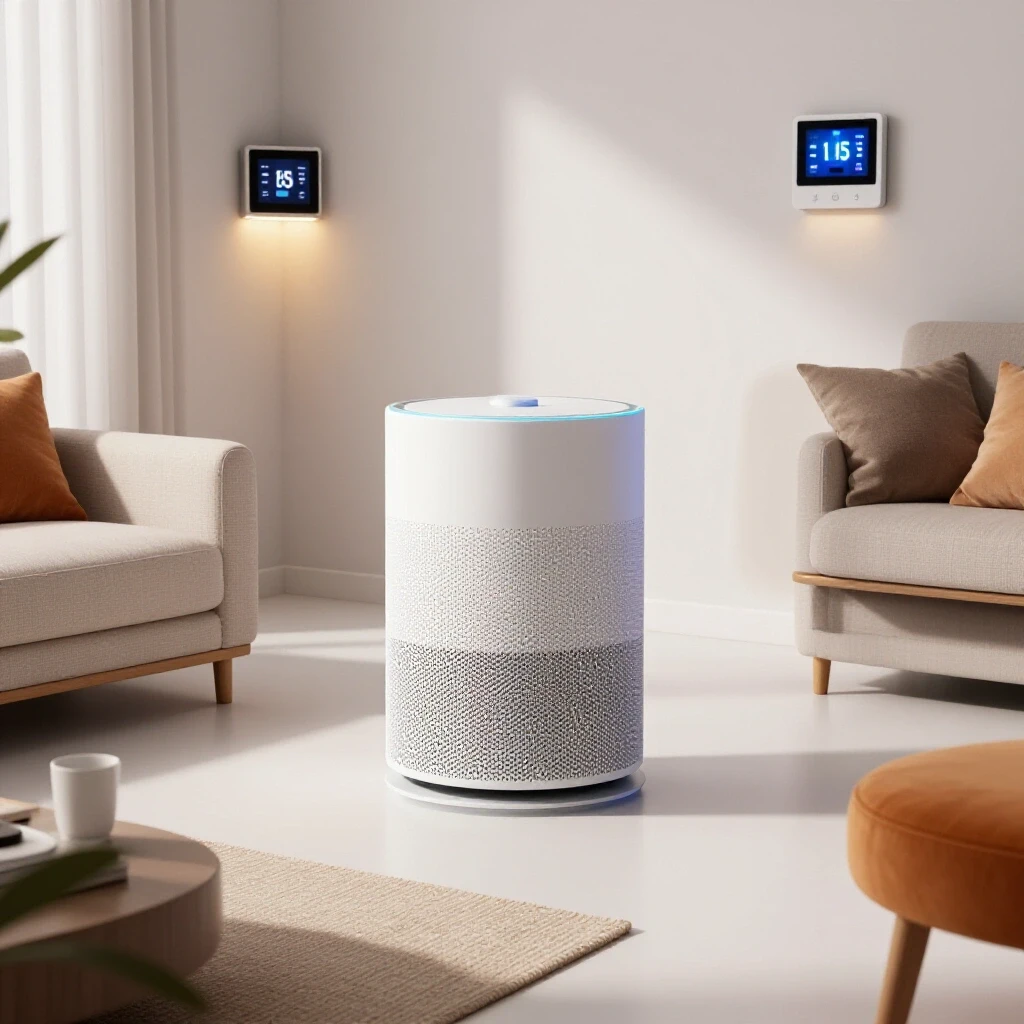
I’ve evaluated hundreds of homes where “tech clutter” actually hurt the resale value during an open house. The goal for a new homeowner should be “invisible utility.” This means mounting small speakers under cabinets or using furniture-grade covers that blend with your decor. In my second home, a 1920s craftsman, I struggled with making modern hubs look natural. I found that placing devices near natural “landing zones”—like an entryway console or a kitchen island—made them feel like part of the home’s flow rather than an after-thought.
- Height Matters: Place sensors and hubs at ear level for the best voice recognition, but hide them behind non-metallic decor.
- Cord Management: Use recessed outlets or “cord channels” that can be painted to match your wall color.
- Centralization: Keep your main interface in a high-traffic area like the kitchen to act as the “command center” for the household.
Preventative Mechanical Maintenance and Automated Reminders
Preventative maintenance is the practice of servicing home systems before they fail to extend their lifespan and avoid the high costs of emergency professional interventions. Using automated schedules ensures that critical tasks, such as HVAC inspections or water heater flushing, are never overlooked during busy seasons.
One of the most expensive mistakes I made in my first three years of ownership was ignoring the HVAC filters. I simply forgot they existed. A modern home maintenance guide will tell you that a $15 filter can save a $7,000 blower motor. I now use a voice-integrated calendar that pings me every 90 days. When the alert goes off, I don’t just hear a beep; I have my system set to tell me exactly where the spare filters are stored in the basement. This reduces the “friction” of the task.
Why Early HVAC Maintenance Saves Thousands
The Department of Energy suggests that proactive maintenance can reduce energy bills by 5% to 15%. For a young family, those savings pay for a year of streaming services or a minor landscaping project. If you use your voice assistant to track the “run time” of your furnace, you can even predict when it’s working too hard, which is a classic early warning sign of a failing capacitor or a refrigerant leak.
Strategic DIY Prioritization for Busy Professionals
Strategic DIY involves choosing projects that offer the highest return on investment (ROI) in terms of both home value and personal time, while knowing when to call a professional. For homeowners aged 25–40, time is often more valuable than a small cost saving, making efficient project planning essential.
I often see new homeowners try to do everything themselves to save money, only to end up with “homeowner fatigue.” I use a simple formula: if the task takes more than four hours and requires a tool I will only use once, I hire it out. However, for “smart” upgrades—like installing a voice-controlled thermostat or smart switches—the DIY home care ROI is massive. These are often “Level 1” tasks that require only a screwdriver and a YouTube tutorial but can increase a home’s “smart score” significantly.
- Safety First: Never DIY electrical work beyond a light switch or plumbing behind a wall.
- Tool Kits: Invest in a high-quality 18V cordless drill and a digital multimeter.
- Voice Logging: Use your hands-free device to “start a timer” for your DIY projects to see how much of your weekend they actually consume.
Energy Audits and Sustainable Home Systems
A sustainable home system uses technology and efficient hardware to minimize environmental impact and lower long-term operational costs. Conducting a DIY energy audit is the first step in identifying where a home is losing heat or wasting electricity through “phantom loads.”
According to the EPA, the average home loses 20% of its heated or cooled air through leaks and poor insulation. I used a voice-controlled thermal camera attachment on my phone to walk through my current home and “narrate” the leaks I found. “Draft found in north-east corner of the nursery,” I would say. This created an instant shopping list for weatherstripping. By integrating these findings into a smart thermostat’s schedule, I managed to lower my winter heating bills by $40 a month.
| System | Expected Lifespan | Replacement Cost | Maintenance Frequency |
|---|---|---|---|
| HVAC System | 15 – 20 Years | $5,000 – $10,000 | Twice a Year |
| Water Heater | 8 – 12 Years | $800 – $1,500 | Once a Year |
| Roof (Asphalt) | 20 – 25 Years | $8,000 – $15,000 | Annual Inspection |
| Smart Hubs | 4 – 6 Years | $100 – $300 | Software Updates Monthly |
Managing Homeowner Fatigue and Mental Load
Homeowner fatigue is the emotional exhaustion that comes from the never-ending list of chores, repairs, and financial decisions required to maintain a property. It is a leading cause of burnout for first-time buyers who are also managing demanding careers or young children.
In my fourteenth year of tracking home data, I’ve noticed that my “happiness score” in a home is directly tied to how much of the “house talk” I can automate. If I have to remember to turn off the porch light every night, it’s a chore. If I can say “Goodnight” and the house locks the doors, dims the lights, and sets the alarm, it feels like the home is working for me, not the other way around. This shift in perspective is vital for long-term property preservation. You want to love your home, not resent it.
Long-Term Asset Protection Through Digital Logs
A digital home log is a comprehensive record of a property’s history, including every repair, upgrade, and warranty, which serves as a “Carfax” for your house. This documentation is invaluable during the resale process and helps homeowners stay organized during insurance claims.
When I sold my second home, I handed the buyer a printed report generated from my voice-logged maintenance diary. It showed exactly when the water heater was flushed and when the roof was inspected. The buyer’s inspector was so impressed by the “preventative mechanical care” that the buyers didn’t even try to negotiate the price down. They knew the home had been cared for by someone who treated it like a valuable asset.
- Warranty Tracking: Scan receipts and tell your assistant to “Save this to the Home Log folder.”
- Paint Codes: Never guess your wall color again; log the brand and code via voice the moment you finish a room.
- Contractor Contacts: Keep a spoken list of “the good ones”—the plumbers and electricians who showed up on time.
Establishing Your Smart Home Maintenance Routine
The best way to move forward is to start small. Don’t try to automate your entire house in one weekend. Choose one pain point—perhaps the fact that you always forget to lock the back door or that your utility bills are too high—and use a voice-controlled solution to address it. Over time, these small “wins” build the confidence needed to tackle larger structural or mechanical issues.
Homeownership is a marathon, not a sprint. By using modern tools to handle the “thinking” part of home maintenance, you free up your mental energy for the “living” part. Whether it’s setting a reminder to check for leaks after a heavy rain or simply having a hands-free way to play music while you paint a nursery, these systems are about making your first home feel like a sanctuary rather than a second job.
FAQ: Mastering Your Home’s Automated Systems
How do I start integrating voice tech without spending thousands? Start with a single central hub and two “smart plugs.” Use the plugs for lamps or a coffee maker. This allows you to test the lifestyle fit for under $100 before committing to a whole-house system.
Are these systems secure for a private residence? Most modern systems use encrypted connections. To increase security, use two-factor authentication on your accounts and keep your home Wi-Fi password complex. You can also use physical “mute” buttons on most devices when privacy is a priority.
Can voice assistants actually help with home repairs? Yes. I often use mine to “read out” repair steps from a manual while my hands are covered in grease or plumbing putty. It’s like having a digital assistant holding the instructions for you.
Do smart homes have a better resale value? While a smart home won’t necessarily increase the “appraised” value, it significantly increases “marketability.” Homes that feel modern and easy to manage often sell faster and with fewer concessions.
What is the best way to hide wires for a clean aesthetic? Use “D-Line” trunking or cord covers that attach to your baseboards. You can also buy “outlet shelves” that hold a small speaker directly over the plug, eliminating dangling wires entirely.
How do I prevent my voice assistant from being “annoying” with too many alerts? Use the “Do Not Disturb” settings for nighttime and only set “critical” voice alerts for things like leak detections or security breaches. Use silent phone notifications for routine tasks like laundry.
What happens if the internet goes down? Most basic home functions (like light switches) will still work manually. However, you should always have a “manual” backup for critical systems like your front door lock (a physical key) and your thermostat.
How much time does it take to maintain a smart home system? Expect to spend about 30 minutes a month checking for software updates and ensuring sensors have fresh batteries. This is a small trade-off for the hours saved in automated routines.
Can I use these tools to monitor my home’s energy usage? Absolutely. Many smart plugs and thermostats provide weekly reports on energy consumption. You can use this data to identify “energy hogs” and adjust your habits to save money.
What is the most common mistake new homeowners make with tech? Over-complication. If it takes longer to say the command than it does to flip a switch, you’ve over-engineered the solution. Focus on tasks that are actually difficult or easy to forget.
How do I log my home maintenance using my voice? Link your voice assistant to a note-taking app or a dedicated “Home Log” spreadsheet via a service like IFTTT. You can then say, “Add ‘HVAC filter changed’ to my Home Log,” and it will timestamp the entry automatically.
Will these devices work in older homes with thick walls? Older homes with plaster and lath walls can struggle with Wi-Fi signals. You may need a “Mesh Wi-Fi” system to ensure your voice-controlled devices stay connected in every room of an older property.
(This article was written by one of our staff writers, Michael Morrison. Visit our Meet the Team page to learn more about the author and their expertise.)