How to Upgrade Smoke Detectors for Safer Homes (Step-by-Step)

Have you ever looked up at the small, plastic circles on your ceiling and wondered if they actually work when you need them most? For many new homeowners, those devices are just part of the background noise of a house, like the baseboards or the light switches. However, after fourteen years of managing three different properties, I have learned that these quiet sentinels are the most critical components of your home’s safety infrastructure.
When I bought my first home—a modest 1,200-square-foot ranch built in the late 1980s—I was focused on the exciting things. I spent my first weekend obsessing over paint swatches and kitchen hardware. It wasn’t until a late-night chirp from a hallway unit that I realized I had no idea how old the sensors were or if they were even the right type for the layout. That single chirp started a decade-long journey into understanding how modernizing home safety sensors is a fundamental part of responsible property ownership.
According to data from the U.S. Census Bureau’s American Housing Survey, a significant portion of the housing stock in the United States is over 40 years old. This means many first-time buyers are moving into homes where the life-safety equipment may be several generations behind current standards. Transitioning from a rental, where a landlord handles these details, to being the one in charge can feel overwhelming. My goal is to break down the process of evaluating, budgeting for, and replacing these units so you can feel confident in your home’s protective envelope.
Establishing Your Home Safety Foundation
Setting a foundation for home safety means moving beyond a “fix it when it breaks” mindset to a proactive management strategy. This involves auditing your current equipment, understanding its age, and recognizing that these devices are not permanent fixtures of the home.
In my first year of homeownership, I mistakenly thought that as long as the “test” button made a noise, the unit was fine. I later learned through my personal maintenance logs that the sensors inside these devices degrade over time. Most manufacturers and safety organizations specify a ten-year lifespan for these units. If you have just moved in, your first task is to take every unit down and look at the manufacture date stamped on the back.
The Ten-Year Lifespan Rule for Detection Units
The ten-year lifespan is a non-negotiable benchmark for the sensors that detect smoke and fire within your home. Over time, dust, humidity, and the natural decay of the sensing components make the device less reliable, regardless of whether the battery is fresh.
When I audited my second home, a 1920s craftsman, I found a mix of units. Some were only three years old, while others had yellowed plastic that suggested they had been there since the early 2000s. I realized that the previous owners had replaced them piece-meal, which created a fragmented safety system. For a new homeowner, starting fresh with a synchronized set of devices ensures that every corner of the house is monitored by reliable, current technology.
Understanding Sensor Technology Types
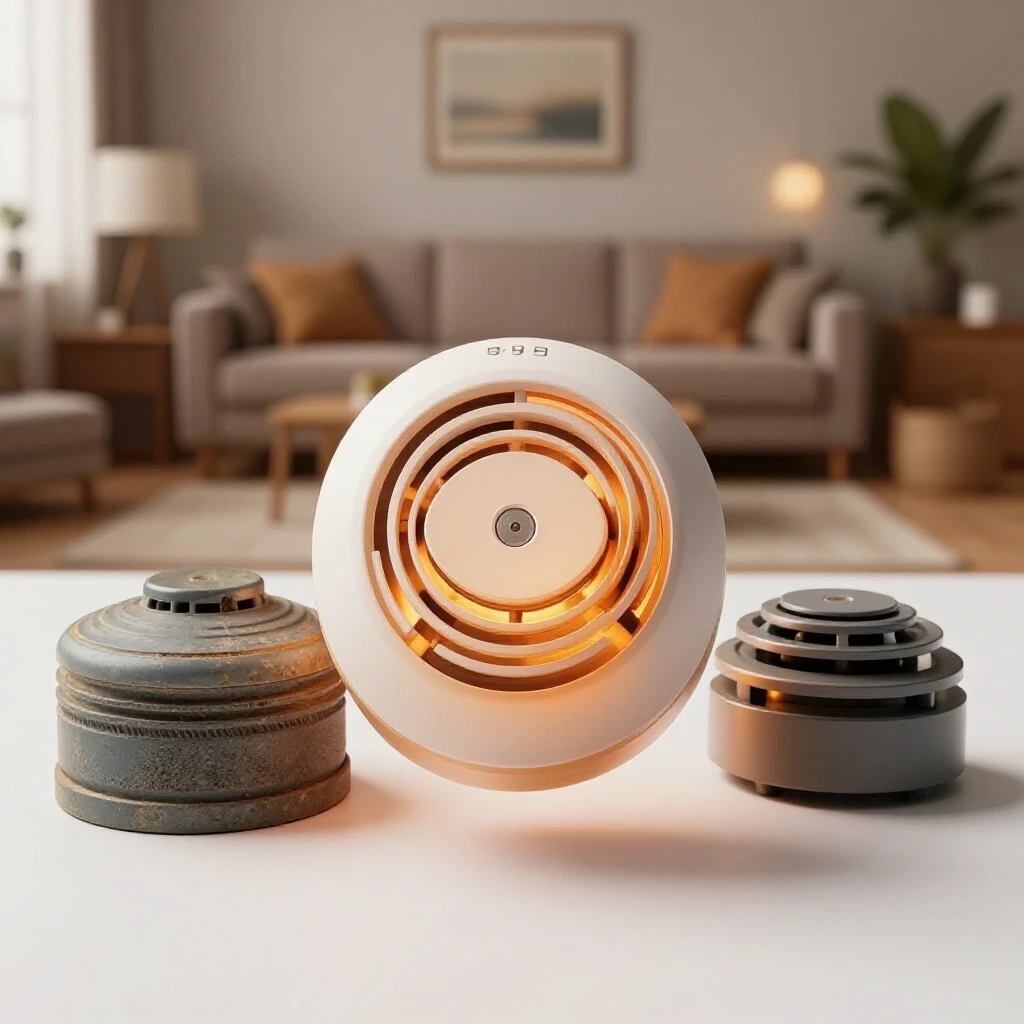
There are two primary types of technology used in modern home safety units: ionization and photoelectric. Each is designed to detect different types of fire, and having a balance of both—or using dual-sensor units—is the gold standard for residential protection.
- Ionization Sensors: These are generally more responsive to flaming fires. They use a small amount of radioactive material to ionize air, making it conductive. When smoke enters, it disrupts the flow, triggering the alert.
- Photoelectric Sensors: These are typically faster at detecting smoldering fires. They use a light source and a light sensor. When smoke particles scatter the light, the sensor picks it up and sounds the alert.
In my current home, I have opted for photoelectric units in the hallways near kitchens and bathrooms to reduce “nuisance alarms” from steam or burnt toast, while using dual-sensor units in the bedrooms for maximum coverage.
Building a Safety-First Household Budget
Managing the costs of home maintenance requires a realistic look at your recurring expenses and one-time upgrades. Many first-time homeowner tips suggest the “1% rule,” where you set aside 1% of your home’s value annually for maintenance, but safety upgrades often fall into a separate “initial setup” budget.
When I moved into my third home, I created a “Year One Safety Audit” line item in my spreadsheet. This included the cost of replacing every detection unit, buying new fire extinguishers, and installing carbon monoxide sensors. For a standard three-bedroom home, you might spend between $300 and $600 on high-quality devices. While this feels like a hit to the wallet right after a closing, it is a long-term investment that lasts a decade.
DIY vs. Professional Replacement Costs
Most modernizing projects for safety sensors are well within the reach of a DIY-capable homeowner. If your home has battery-operated units, the swap is as simple as two screws and a plastic bracket. Hardwired units require a bit more care but are still very manageable.
| Task Description | DIY Estimated Cost | Professional Estimated Cost | Time Investment |
|---|---|---|---|
| Battery Unit Swap (5 units) | $150 – $250 | $350 – $500 | 1 Hour |
| Hardwired Unit Swap (5 units) | $200 – $350 | $450 – $700 | 2 – 3 Hours |
| Smart System Integration | $400 – $800 | $900 – $1,500 | 3 – 4 Hours |
I have found that doing this work myself not only saved me hundreds of dollars in labor fees but also forced me to learn the layout of my home’s electrical zones. Knowing which breaker controls your safety units is vital information for any homeowner.
Tracking Maintenance in Your Household Diary
I highly recommend keeping a digital or physical home maintenance log. In my 14-year log, I track the date of installation, the model number, and the battery replacement schedule for every safety device in the house.
- Installation Date: This tells you exactly when the ten-year clock starts.
- Model Numbers: Useful if a unit fails under warranty or if you want to buy a matching one for a new addition.
- Battery Type: Some modern units have 10-year sealed batteries, while others require annual swaps.
- Location Map: A simple list of where every unit is located so you don’t miss one during your semi-annual checks.
Strategic DIY: Swapping Out Old Sensors
Once you have budgeted for your new equipment, the physical process of replacing outdated units is your next step. This is a perfect “first project” for a new homeowner because it provides an immediate sense of security and accomplishment without requiring expensive tools.
In my experience, the biggest hurdle for new owners is the fear of the “hardwired” system. These units are connected to your home’s electrical grid and often to each other. When one sounds, they all sound. While this sounds complex, the actual connection usually involves a simple plug-and-play harness.
Essential Tools for Safety Upgrades
Before you start, gather a small toolkit. You don’t need professional-grade equipment, just the basics to ensure the job is done safely and correctly.
- Stepladder: Ensure it is sturdy and tall enough to reach your ceilings comfortably.
- Screwdriver Set: Most brackets use standard Phillips-head screws.
- Non-Contact Voltage Tester: Essential for hardwired units to ensure the power is truly off before you touch wires.
- Dust Mask: Ceilings can be surprisingly dusty, especially in older homes.
- Microfiber Cloth: To wipe down the area around the old bracket before installing the new one.
Step-by-Step Replacement Process
When I replaced the units in my second home, I followed a strict protocol to ensure I didn’t trigger a false alarm or trip a breaker. First, I identified the correct circuit in my breaker panel. Then, I used my voltage tester to confirm no power was running to the unit.
- Remove the old unit: Twist it counter-clockwise to release it from the bracket.
- Disconnect the power: For hardwired units, squeeze the sides of the plastic plug to pull it out.
- Swap the bracket: Unscrew the old mounting plate and screw in the new one. Most modern brands have hole patterns that match older boxes.
- Connect and test: Plug in the new unit, twist it onto the bracket, and restore power. Always press the test button to ensure the internal circuitry is functioning.
Advanced Home Systems and Smart Integration
As you become more comfortable with homeownership, you might consider integrating your safety devices into a larger smart home ecosystem. Smart sensors offer benefits that traditional units cannot, such as sending alerts to your phone if an alarm goes off while you are at work.
In my current home, I use a hybrid approach. I have standard interconnected hardwired units in most rooms, but I have placed smart “bridge” units in central locations. This allows me to monitor the status of my home remotely without the high cost of making every single unit a smart device.
Interconnected Alerts for Large Layouts
Interconnection is a feature where all devices are linked together. This is crucial for larger homes or multi-story properties. If a fire starts in the basement, the units in the upstairs bedrooms will sound simultaneously, providing precious extra minutes for evacuation.
Residential housing trends are moving toward wireless interconnection. This technology allows battery-operated units to communicate with each other via radio frequency. This is a game-changer for older homes where running new wires through the walls would be prohibitively expensive. In my 1920s home, wireless interconnection allowed me to have a modern, linked system without cutting into my original plaster ceilings.
Aesthetic and Design Considerations
Modernizing your safety equipment doesn’t have to result in ugly plastic bumps on your ceiling. Many manufacturers now offer “slim profile” units that sit much closer to the ceiling. Some even offer different faceplate finishes to blend in with your interior design.
When I was renovating my third home, I chose units with a minimalist design. They are about half the thickness of traditional detectors. While this may seem like a minor detail, it contributes to the overall “finished” feel of a well-maintained home. It shows that you care about the details, which can even be a selling point if you decide to move in five or ten years.
Long-Term Asset Protection and Maintenance Habits
The work doesn’t end once the new units are on the ceiling. Establishing a sustainable maintenance routine is what separates a prepared homeowner from one who is constantly caught off guard by failures.
I follow a simple “Safety Saturday” routine twice a year, usually timed with the changing of the clocks for Daylight Saving Time. This keeps the task from becoming a burden and ensures it actually gets done.
The Seasonal Safety Checklist
Consistency is the key to preventing homeowner burnout. Instead of trying to do everything at once, break your safety maintenance into small, manageable tasks.
- Vacuum the units: Use a brush attachment to remove dust and cobwebs from the sensor vents. Dust is a leading cause of false alarms.
- Check the dates: Even if you just installed them, a quick glance at your log reminds you how much life is left.
- Test the interconnect: Have one person press the button in the basement while another listens in the attic.
- Replace batteries: If you don’t have 10-year sealed units, change the 9V batteries annually, even if they aren’t chirping yet.
Expected Lifespans of Major Safety Systems
Understanding how long things last helps you plan your future budget. I keep a “Replacement Horizon” chart in my household diary to avoid financial surprises.
| System Component | Expected Lifespan | Warning Signs of Failure |
|---|---|---|
| Smoke Detection Units | 10 Years | Frequent false alarms, yellowing plastic, failure to test. |
| Carbon Monoxide Units | 5 – 7 Years | End-of-life chirping (distinct from low battery). |
| Fire Extinguishers | 5 – 12 Years | Pressure gauge in the “red” zone, clogged nozzle. |
| Smart Home Hubs | 4 – 6 Years | Dropped connections, outdated software compatibility. |
Managing Homeowner Fatigue and Safety Burnout
It is completely normal to feel overwhelmed by the endless list of tasks that come with a new home. In my first few years, I often felt like as soon as I fixed one thing, two more would break. This “homeowner fatigue” can lead to neglecting safety tasks because they don’t feel as urgent as a leaky faucet or a broken AC.
To combat this, I remind myself that safety maintenance is about “peace of mind” insurance. By spending 30 minutes twice a year on my safety sensors, I am protecting my biggest financial asset and, more importantly, the people inside it.
Practical Tips for Busy Professionals
If you are balancing a demanding career or young children, you need to make these tasks as frictionless as possible.
- Buy in bulk: Keep a pack of high-quality batteries and a spare detection unit in your “Home Essentials” bin.
- Use tech to your advantage: Set recurring calendar alerts on your phone so you don’t have to remember the dates.
- Bundle tasks: Check your air filters and your safety sensors at the same time.
- Keep it simple: Don’t feel pressured to install a complex smart system if a standard interconnected system meets your needs.
When I look back at my 14 years of home logs, the entries about safety upgrades are some of the most satisfying. They represent the moments I took full control of my environment. Transitioning from a tenant who waits for help to an owner who provides protection is a significant emotional shift. By modernizing your home’s detection units, you aren’t just checking a box on a maintenance list; you are building a secure foundation for your future in your new home.
Frequently Asked Questions
How do I know if my smoke detectors are hardwired or battery-powered? Most hardwired units have a small green LED light that stays on constantly, indicating they are receiving power from the home’s electrical system. You can also tell by gently twisting the unit off its mounting bracket; if there are wires plugged into the back, it is hardwired. Battery-only units will have no wires and rely solely on a 9V or lithium battery.
Can I replace a hardwired unit with a battery-operated one? While you physically can, it is generally not recommended and may violate local building codes. Hardwired units are usually interconnected, meaning they all sound at once. Replacing one with a standalone battery unit breaks that chain of communication, reducing the overall safety level of your home.
Why does my smoke detector chirp even after I changed the battery? This is often a sign that the unit has reached its ten-year expiration date. Most modern units have an internal clock and will emit a specific “end-of-life” chirp that is different from a low-battery alert. It could also mean there is dust inside the sensor chamber or that the unit is experiencing a hardware malfunction.
What is the best location to install new detection units? According to standard safety guidelines, you should have a unit inside every bedroom, outside every sleeping area, and on every level of the home, including the basement. In living areas or near kitchens, place them at least 10 feet away from cooking appliances to minimize false alarms from steam or heat.
Do I need a carbon monoxide detector if my home is all-electric? If you have an attached garage or use any fuel-burning appliances (like a fireplace or a portable heater), you still need carbon monoxide protection. CO can seep into the home from a car left running in the garage. Many homeowners find that “combination” units, which detect both smoke and CO, are a convenient and cost-effective way to cover both bases.
How often should I actually test my alarms? You should press the test button on every unit at least once a month. This ensures the battery, the sensor, and the siren are all functioning correctly. It’s a five-minute task that provides a high level of assurance that your system is ready if needed.
Is it worth spending extra on “smart” smoke detectors? For many, the answer is yes. The primary benefit is the ability to receive notifications on your smartphone if an alarm goes off while you are away. This allows you to call emergency services or check your indoor cameras immediately. If you travel often or have pets at home, the added cost can be well worth the peace of mind.
What should I do with my old smoke detectors after I replace them? Check your local waste management guidelines. Most ionization detectors contain a tiny amount of Americium-241, and while they are generally safe for household trash in small quantities, some municipalities prefer they be taken to a hazardous waste drop-off. Photoelectric units do not contain radioactive material and are usually treated as standard electronic waste.
(This article was written by one of our staff writers, Michael Morrison. Visit our Meet the Team page to learn more about the author and their expertise.)